A touchscreen bike computer can make navigation, route changes, and data review easier while you ride. The best models combine a responsive display with reliable GPS, long battery life, and broad sensor compatibility.
We compared 10 standout options across mapping, training features, connectivity, durability, and value to help you choose the right computer for road cycling, touring, gravel, commuting, or e-bike use.
Best 10 Bike Computers with Touchscreen Picks for 2026
For riders who want clear mapping in a touchscreen format, the GEOID CC700 Pro is a capable choice among bike computers with touchscreen. Its 2.8-inch color display, offline maps, turn prompts, and automatic rerouting are designed to make unfamiliar routes easier to follow.
Best For: Riders who prioritize color navigation, offline route storage, and indoor training support.
Pros:
2.8-inch color touchscreen works alongside three physical buttons.
Supports offline maps, turn prompts, route zoom, and dual-perspective views.
Recalculates routes when connected to the designated app.
Supports ANT+, Bluetooth, Wi-Fi, smart trainers, and FIT-file exports.
Cons:
Rerouting requires an active connection to the designated app.
DJI camera controls are limited to Action 4 and Action 5 Pro compatibility.
The CC700 Pro stands out for combining a vivid navigation display with broad connectivity and indoor-training features. It is especially appealing if route guidance is more important to you than a minimalist cycling computer.
The Garmin Edge 1050 is a premium option among bike computers with touchscreen, pairing a large 3.5-inch color display with advanced navigation, training tools, and connected-riding features. It is built for cyclists who want more than basic speed and distance data.
Best For: Serious cyclists seeking advanced training metrics, group-riding features, and a large touchscreen.
Provides ClimbPro, power guidance, stamina insights, and adaptive coaching features.
Built-in speaker supports navigation prompts and a bike bell.
Offers road-hazard alerts, group messaging, live locations, and Garmin Pay with a compatible smartphone and services.
Cons:
Many connected features require a compatible smartphone and Garmin Connect app.
Some training features require compatible power and heart-rate sensors.
With its spacious display and extensive ecosystem, the Edge 1050 is suited to riders who will use its training, safety, and connectivity tools. It may be more capability than casual cyclists need, but it offers a comprehensive feature set for performance-focused riding.
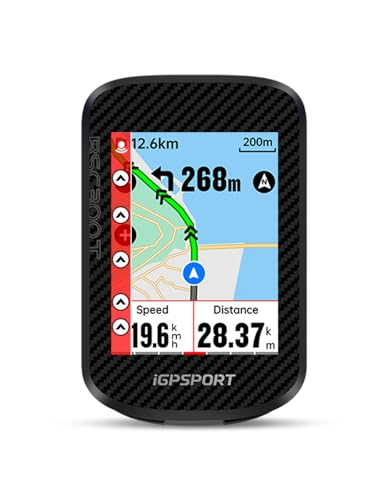
The iGPSPORT BSC300T offers a practical balance of mapping and ride-data features for shoppers comparing bike computers with touchscreen. Its 2.4-inch display supports offline maps, turn prompts, off-course warnings, and compatibility with road, mountain, and electric bikes.
Best For: Riders who want affordable touchscreen navigation with broad sensor and e-bike compatibility.
Pros:
Combines a 2.4-inch capacitive touchscreen with six buttons.
Supports global offline maps, route previews, turn prompts, and off-course warnings.
Tracks more than 130 riding metrics and supports real-time group tracking.
Works with ANT+ and Bluetooth sensors, smart trainers, radar lights, and e-bike data.
Cons:
Type-C charging cable is not included.
Battery life is listed at up to 20 hours.
The BSC300T is a versatile choice for riders who want mapping and extensive data without stepping up to a premium Garmin model. Its e-bike mode and dual-protocol sensor support make it particularly flexible across different bike setups.
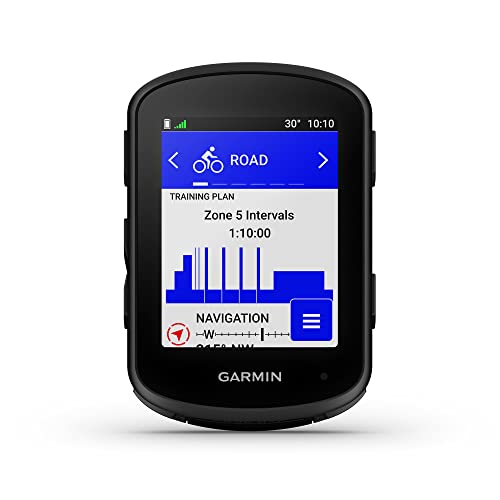
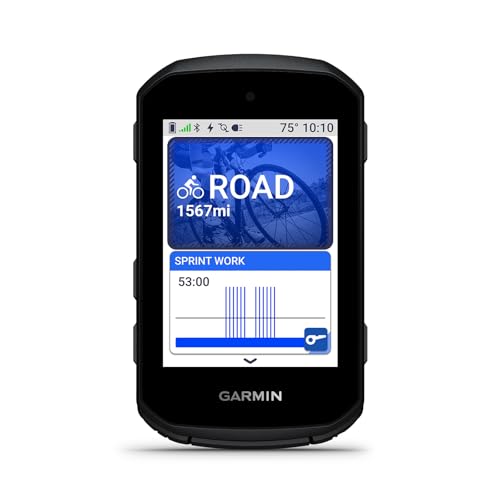
The Garmin Edge 840 is a compact option among bike computers with touchscreen, combining touch and button controls with navigation, training guidance, and multi-band GNSS. Its feature set is aimed at cyclists who want detailed performance feedback without a larger computer.
Best For: Training-oriented riders who want compact navigation and advanced performance insights.
Pros:
Uses both a capacitive touchscreen and physical buttons.
Multi-band GNSS is designed for enhanced positioning accuracy.
Includes ClimbPro, suggested workouts, adaptive coaching, power guidance, and stamina insights with compatible sensors.
Ride-type-specific maps highlight popular roads, trails, and points of interest.
Cons:
Several advanced training features require compatible power and heart-rate monitors.
Battery life is listed at up to 26 hours in demanding use and 32 hours in battery-saver mode.
The Edge 840 is a strong fit when you want Garmin’s training ecosystem in a smaller form factor. Its combined touch-and-button interface also gives riders an alternative to relying on the touchscreen alone while riding.
The iGPSPORT BSC500 is a practical choice among bike computers with touchscreen controls, combining a large 3.3-inch display with physical buttons. Its dual-band satellite positioning, route imports, voice guidance, and automatic rerouting make it well suited to riders who want navigation support without relying on a phone screen.
Best For: Riders who prioritize touchscreen navigation, voice prompts, and detailed route guidance.
Pros:
Large 3.3-inch touchscreen supports up to 12 cycling data fields per page.
Dual-band GPS and support for GPS, BeiDou, GLONASS, Galileo, and QZSS improve positioning coverage.
Supports routes from the iGPSPORT app, Strava, Komoot, and compatible route files.
Cadence, radar, and other advanced functions may require compatible accessories.
At 107 g, it is heavier than some compact cycling computers.
With IPX7 protection, ANT+ and Bluetooth connectivity, and a two-year warranty, the BSC500 offers a feature-rich navigation package. It is especially appealing if a large screen and audible guidance matter more than the lightest possible setup.
The Garmin Edge 850 is a premium option among bike computers with touchscreen controls, pairing a vivid color display with buttons, advanced navigation, and connected training features. It is designed for cyclists who want maps, performance insights, safety tools, and smart connectivity in one compact unit.
Best For: Performance-focused cyclists who want premium navigation, training tools, and connected ride features.
Pros:
Combines a vivid touchscreen with button controls for flexible operation.
Preloaded road, gravel, trail, and Trailforks maps support varied riding.
Multi-band GPS with automatic 5 Hz recording is designed for accurate tracking in demanding profiles.
Includes smart fueling alerts, weather overlays, hazard alerts, a built-in speaker, Garmin Pay, and group-ride features.
Cons:
Battery life is rated at up to 12 hours in demanding use, or up to 36 hours in battery-saver mode.
Several connected features require a compatible smartphone, Garmin Connect, or additional sensors.
The Edge 850 stands out for riders who will use its broader Garmin ecosystem, including maps, training guidance, safety features, and connectivity. Its higher feature count makes it more compelling for serious training and varied route planning than for basic ride tracking.
The COOSPO CS600 is a strong everyday contender among bike computers with touchscreen controls, offering a responsive 2.4-inch color display, route navigation, and a claimed 36-hour battery life. Its customizable dashboard and broad accessory compatibility make it useful for riders who want long endurance and flexible data tracking.
Best For: Long-distance riders seeking extended battery life, touchscreen control, and customizable cycling data.
Pros:
High-resolution color touchscreen includes automatic backlight adjustment.
36-hour battery life and two-hour Type-C charging support extended rides.
Provides route uploads, breadcrumb navigation, and customizable data layouts.
Connects with Bluetooth and ANT+ accessories, including compatible radar lights, trainers, e-bike systems, and electronic shifters.
Cons:
Additional sensors and extension mounts are sold separately.
Its GPS tracking uses GPS and GLONASS rather than the dual-band positioning offered by some competitors.
For riders who value endurance, the CS600’s 36-hour rating is its defining advantage. It also offers IPX7 waterproofing and app synchronization with Strava and TrainingPeaks, making it a practical choice for touring, training, and frequent all-weather riding.
The Magene C506 is a practical option among bike computers with touchscreen controls, combining a compact 2.4-inch color display with turn-by-turn navigation, fast Wi-Fi transfers, and broad sensor support. Its touchscreen and three-button layout offer flexible control for everyday rides and training.
Best For: Riders who want touchscreen navigation, indoor-training features, and extensive data customization in a lightweight computer.
Pros:
2.4-inch capacitive color touchscreen plus three physical buttons.
Supports maps, turn-by-turn directions, custom routes, and GPX uploads.
Connects with ANT+ and Bluetooth sensors, smart trainers, lights, radar, and electronic shifting systems.
Offers up to 24 hours of battery life and fast Wi-Fi syncing.
Cons:
Its 2.4-inch display is smaller than the screens on some competing models.
Many advanced settings and analysis features depend on the OnelapFit app.
The C506 stands out for riders who value a light, feature-rich computer with touchscreen interaction and indoor-training support. It is especially appealing if you already use compatible Magene accessories or want detailed data-page customization.
The Bryton Rider S810 is one of the more capable bike computers with touchscreen navigation, pairing a large 3.5-inch color display with tactile buttons for control in rough or wet conditions. Its 50-hour battery and offline maps make it suited to long rides away from reliable phone service.
Best For: Long-distance cyclists, gravel riders, and bikepackers who need a large screen, offline navigation, and extended battery life.
Pros:
Large 3.5-inch color touchscreen with an adaptive light sensor.
Physical anti-slip buttons provide an alternative to touch controls in rain or while wearing gloves.
50-hour battery life supports century rides and multi-day adventures.
Pre-loaded offline maps can recalculate routes without cell service.
Cons:
The device-only configuration may require separately supplied accessories.
Its larger size may be less appealing to riders who prefer a compact computer.
With its combination of touchscreen convenience, tactile controls, offline mapping, and long runtime, the S810 is a strong choice for exploration and endurance riding. Strava Live Segments, climb guidance, sensor compatibility, and smart-trainer support add useful training depth.
The GEOID CC700 offers a large 2.8-inch color screen, route navigation, and rapid wireless syncing for cyclists comparing bike computers with touchscreen displays. Unlike touchscreen-focused models, it uses three physical buttons, which can be useful when riding in wet conditions or with gloves.
Best For: Riders who want colorful navigation, detailed data pages, and indoor-training support without relying on touchscreen controls.
Pros:
2.8-inch color display with durable Asahi glass and turn reminders.
Supports GPX routes, automatic re-routing, and zoomable navigation.
Wi-Fi and Bluetooth syncing plus GPS, BeiDou, GLONASS, QZSS, and Galileo support.
Offers up to 108 data items, indoor training, and ANT+/Bluetooth connectivity.
Cons:
Uses buttons rather than a touchscreen.
Fast five-second positioning depends on current AGNSS synchronization and suitable surroundings.
The CC700 is worth considering if touchscreen control is not essential but a clear color route display is. Its extensive data layouts, broad satellite support, IPX7 rating, and smart-trainer functions make it a versatile choice for training and navigation.
How We Picked the Best Bike Computers with Touchscreen
We focused on the features that matter during real rides rather than touchscreen size alone. Our comparison considers GPS accuracy, map and route functionality, display readability, battery claims, waterproofing, wireless connectivity, and compatibility with ANT+ and Bluetooth sensors.
We also looked at practical differences between entry-level and premium computers. Some models prioritize simple route guidance and speed data, while others add training metrics, structured workouts, climb information, rerouting, voice prompts, and deeper integration with cycling platforms. Product specifications can vary by firmware, region, and connected accessories, so confirm current details before buying.
Quick Comparison
Best For
What to Prioritize
Models to Consider
Everyday riding
Easy setup, clear data, dependable GPS
GEOID CC700, COOSPO CS600
Budget navigation
Color maps, rerouting, Wi-Fi syncing
Magene C506, iGPSPORT BSC300T
Long-distance touring
Battery life, offline maps, route planning
Bryton Rider S810, iGPSPORT BSC500
Serious training
Advanced metrics, sensors, workout support
Garmin Edge 840, Edge 850, Edge 1050
Key Buying Factors for Bike Computers with Touchscreen
Screen and Controls
A larger color display can make maps and data fields easier to read, but it may use more power and add weight. Look for a screen that remains visible in direct sunlight and supports usable controls with gloves or damp fingers. Physical buttons are valuable when rain, cold, or rough roads make touch input difficult.
Navigation and Mapping
Check whether maps are included, downloadable for offline use, or dependent on a phone connection. Turn-by-turn directions, automatic rerouting, off-course warnings, and climb previews are especially useful for unfamiliar roads and long rides. Verify that the computer supports the file types or route services you already use.
Battery and Charging
Compare expected runtime with your longest rides, not just typical commutes. Bright screens, navigation, sensors, wireless connections, and navigation recalculations can reduce battery life. Fast syncing or charging is convenient, but a reliable battery estimate matters more for touring and events.
Sensors and Connectivity
ANT+ and Bluetooth support lets you connect heart-rate monitors, cadence sensors, power meters, smart trainers, radar, and e-bike systems. Wi-Fi can simplify route and ride syncing, while phone connectivity may enable notifications, weather, live tracking, and emergency features.
Weather Resistance and Mounting
For regular outdoor use, prioritize a sealed, water-resistant design and a secure mount. Confirm the included mount style and availability of replacement or out-front mounts if you switch between bikes.
Who Should Buy Which Bike Computers with Touchscreen?
Choose an affordable color touchscreen model if you mainly need speed, distance, GPS recording, and basic route guidance. Choose a navigation-focused model if you ride unfamiliar routes, tour, or want offline maps and rerouting without relying heavily on your phone. Choose a premium Garmin or comparable training computer if you use power data, structured workouts, advanced performance metrics, or a large sensor ecosystem. Choose a long-battery model for endurance rides, bikepacking, and events where frequent charging is inconvenient.
Before ordering, confirm the display size, map coverage, battery mode, included accessories, and compatibility with your sensors and cycling apps. The best bike computer is the one whose navigation and training features match how you actually ride.